Expand Text
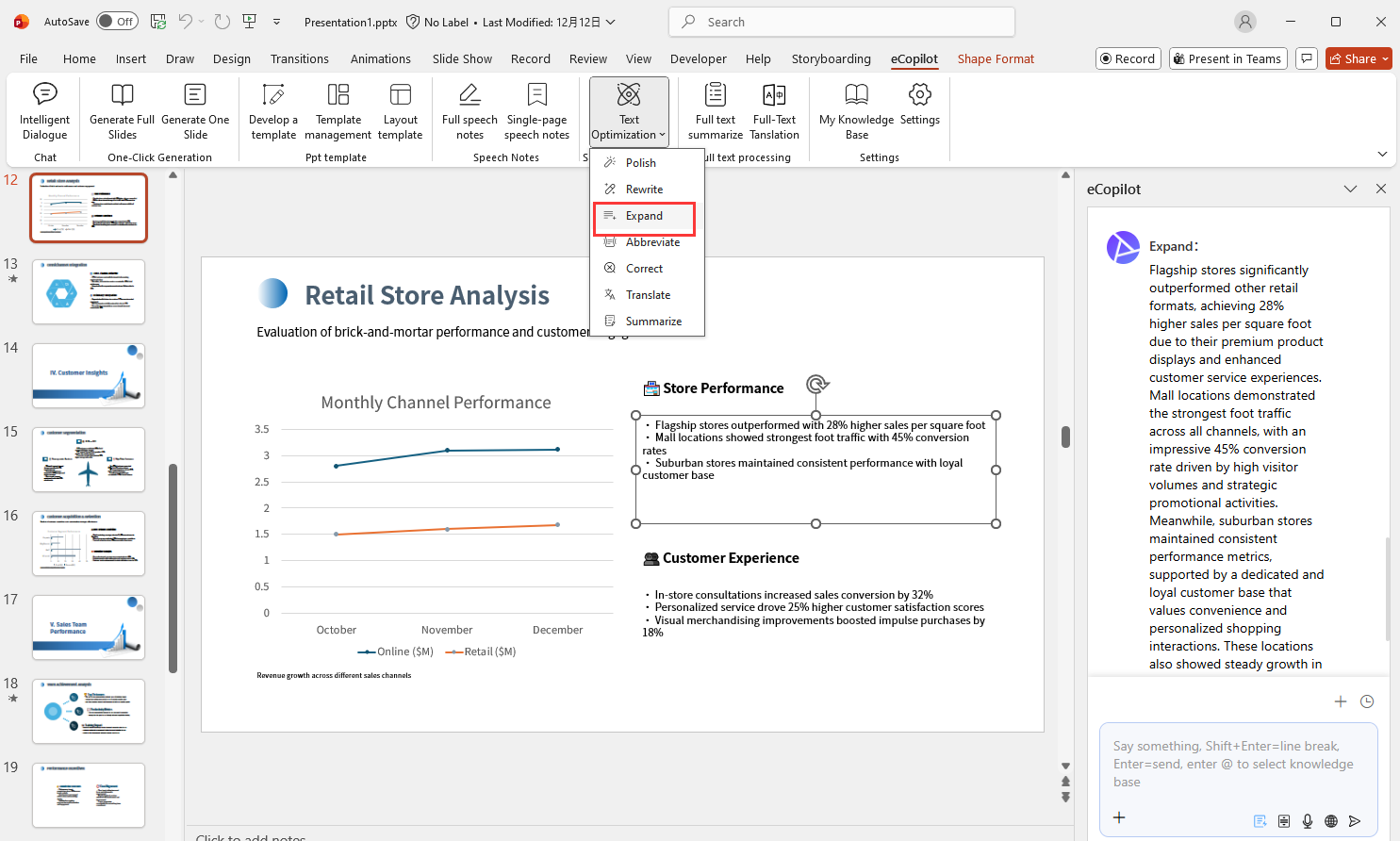
Select the text box in the slide that you want to expand, then click the Expand menu in eCopilot to see the content after AI expansion, click Apply to replace the content of the text box, click Try Again to generate again, as shown in Figure 1.11.