Compose Email
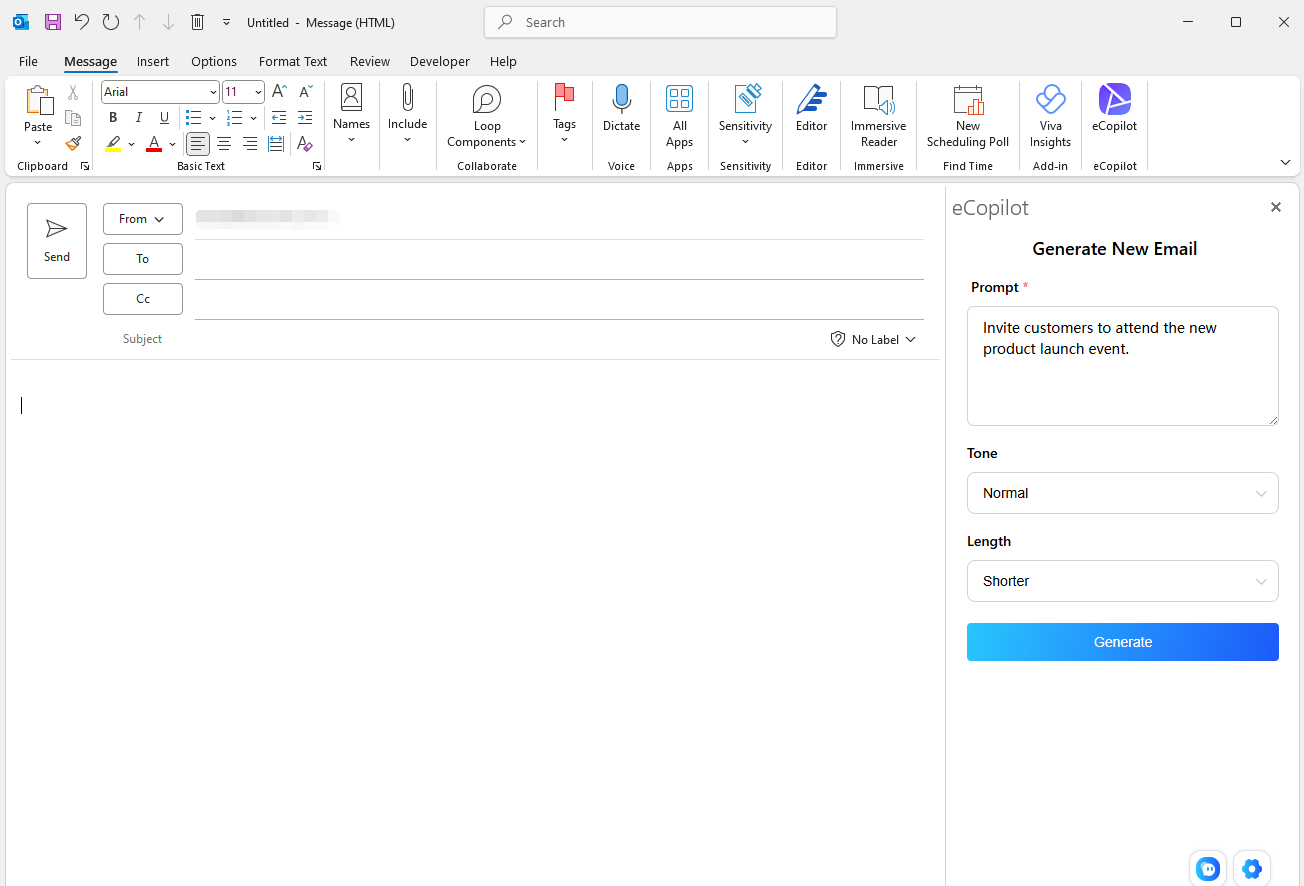
In New Email, open eCopilot, enter prompts as required, select tone and length, then click Start Generating, as shown in Figure 3.3.
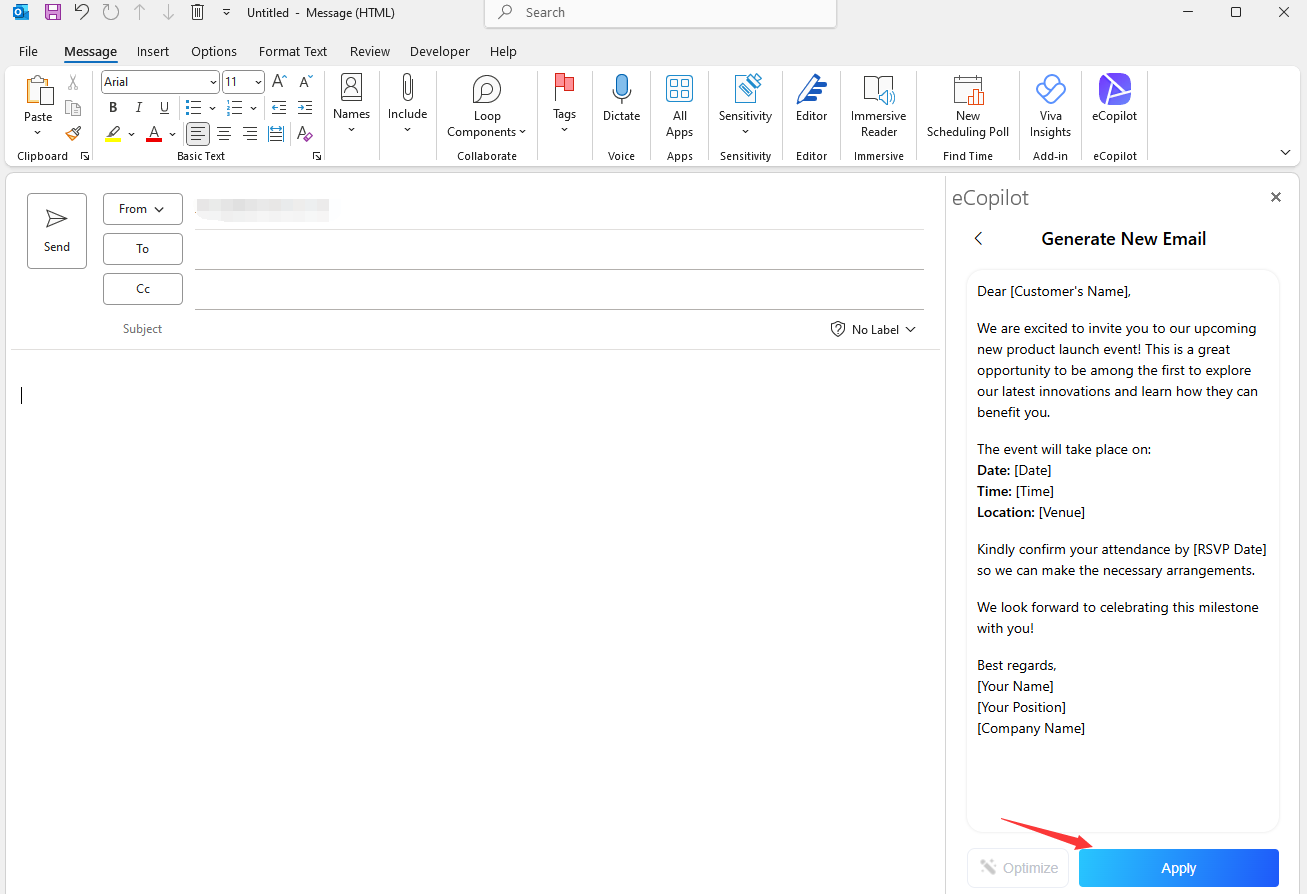
When the text is generated, click Apply to insert it into the Outlook body, as shown in Figure 3.4.
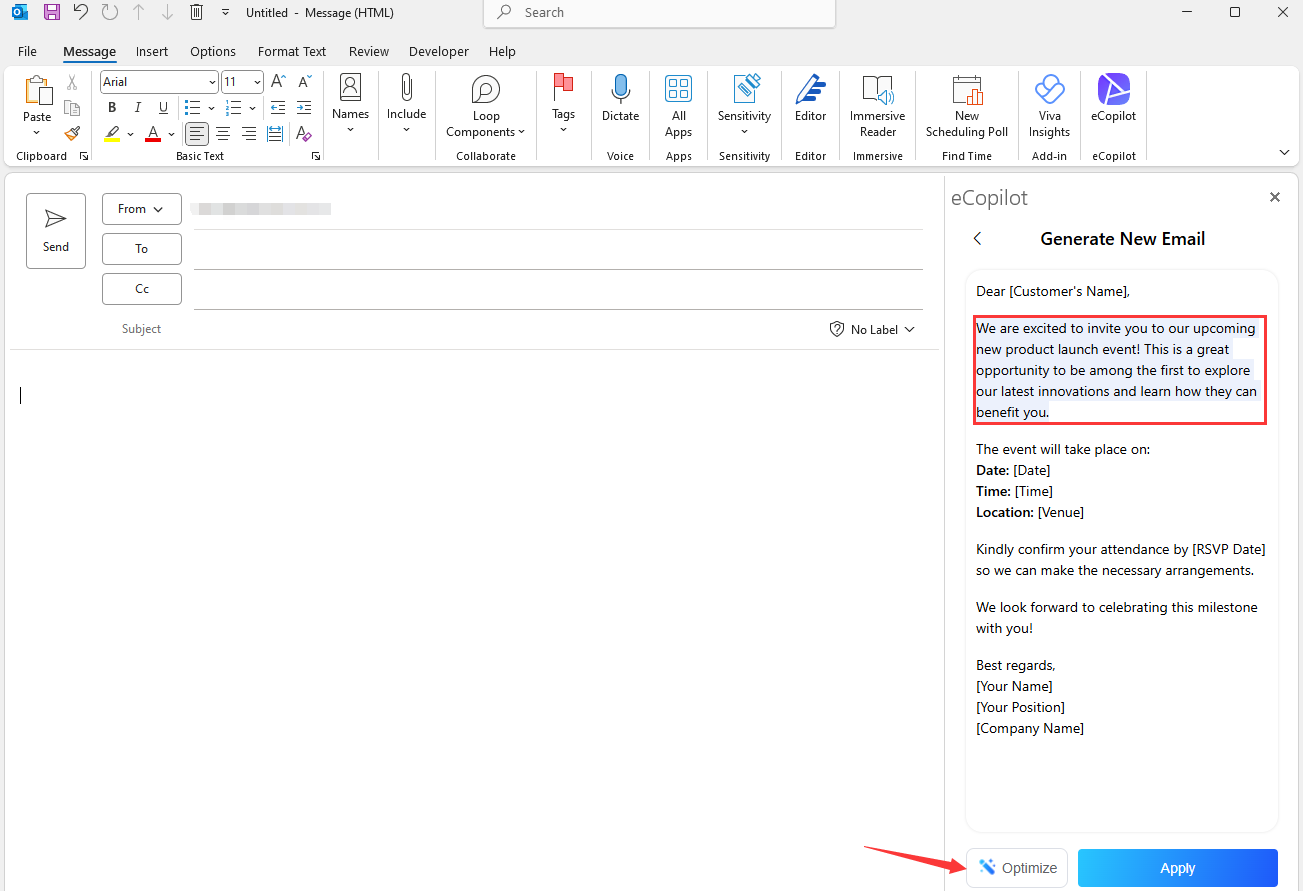
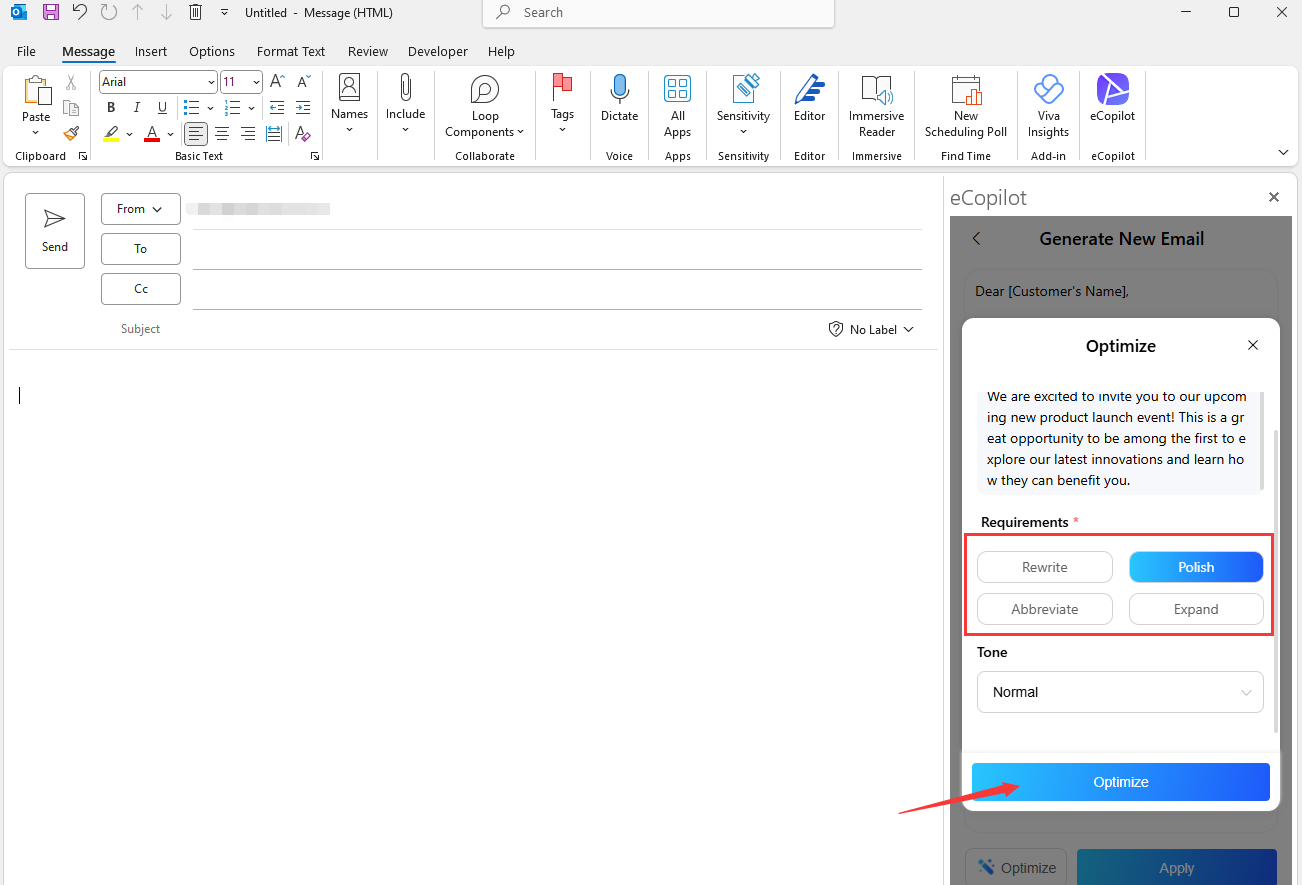
If you're not satisfied with a paragraph, select it and click Text Optimization. Enter your optimization requirements and regenerate, as shown in Figure 3.5.