Cell Formatting
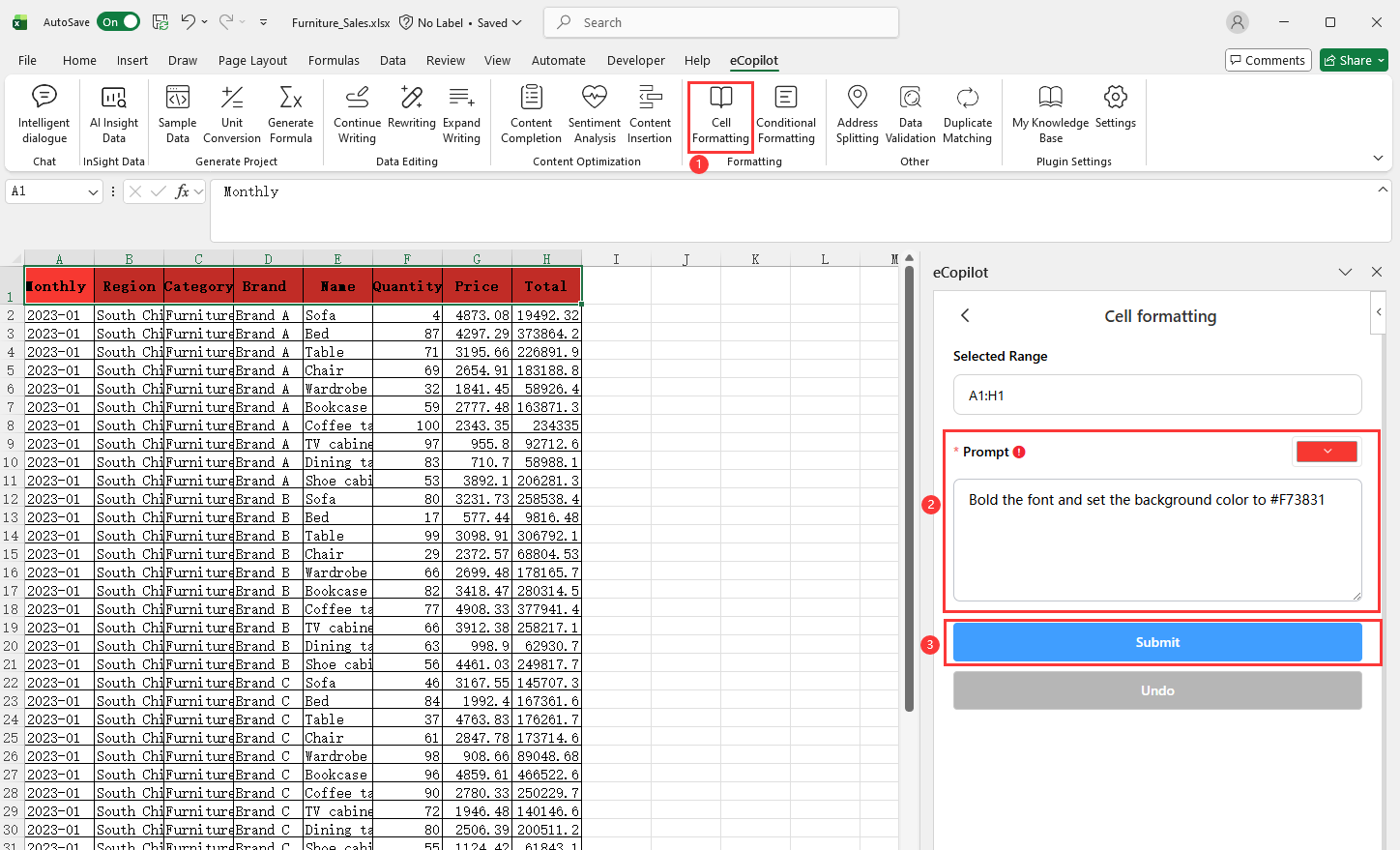
Select the cells to process, click Cell Formatting under eCopilot on the top ribbon, enter your requirement (to set colors, click the palette icon in the input box to choose a color), then click Submit. The result is shown in Figure 4.5. Note:
- Click
 to view the operation guide.
 - To undo, click the
Undobutton in the right eCopilot panel.