Generate Formulas
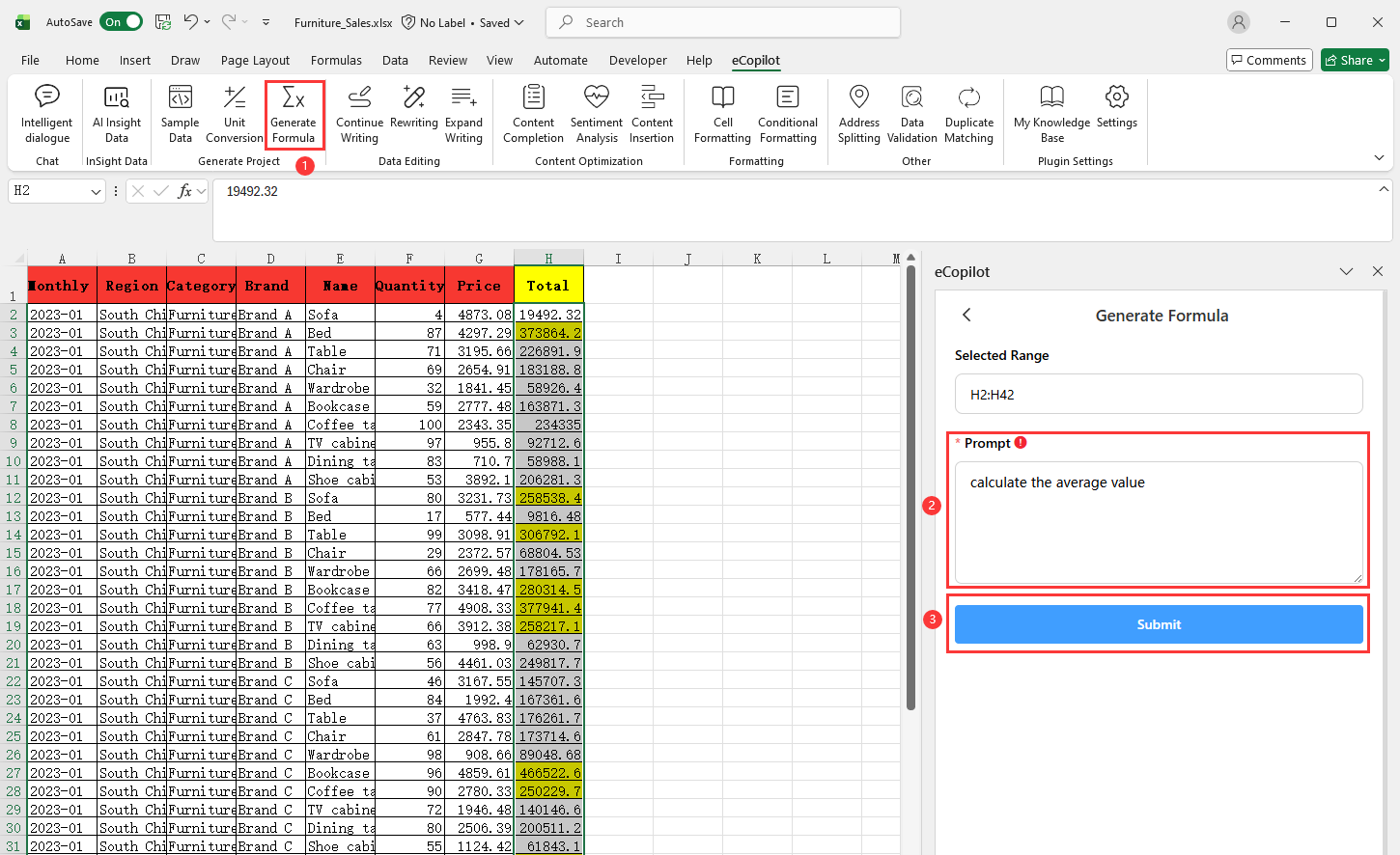
Select the cells to process, click Generate Formulas under eCopilot on the top ribbon, enter your requirement, then click Submit, as shown in Figure 4.7. Note: Click the  icon to view the operation guide.
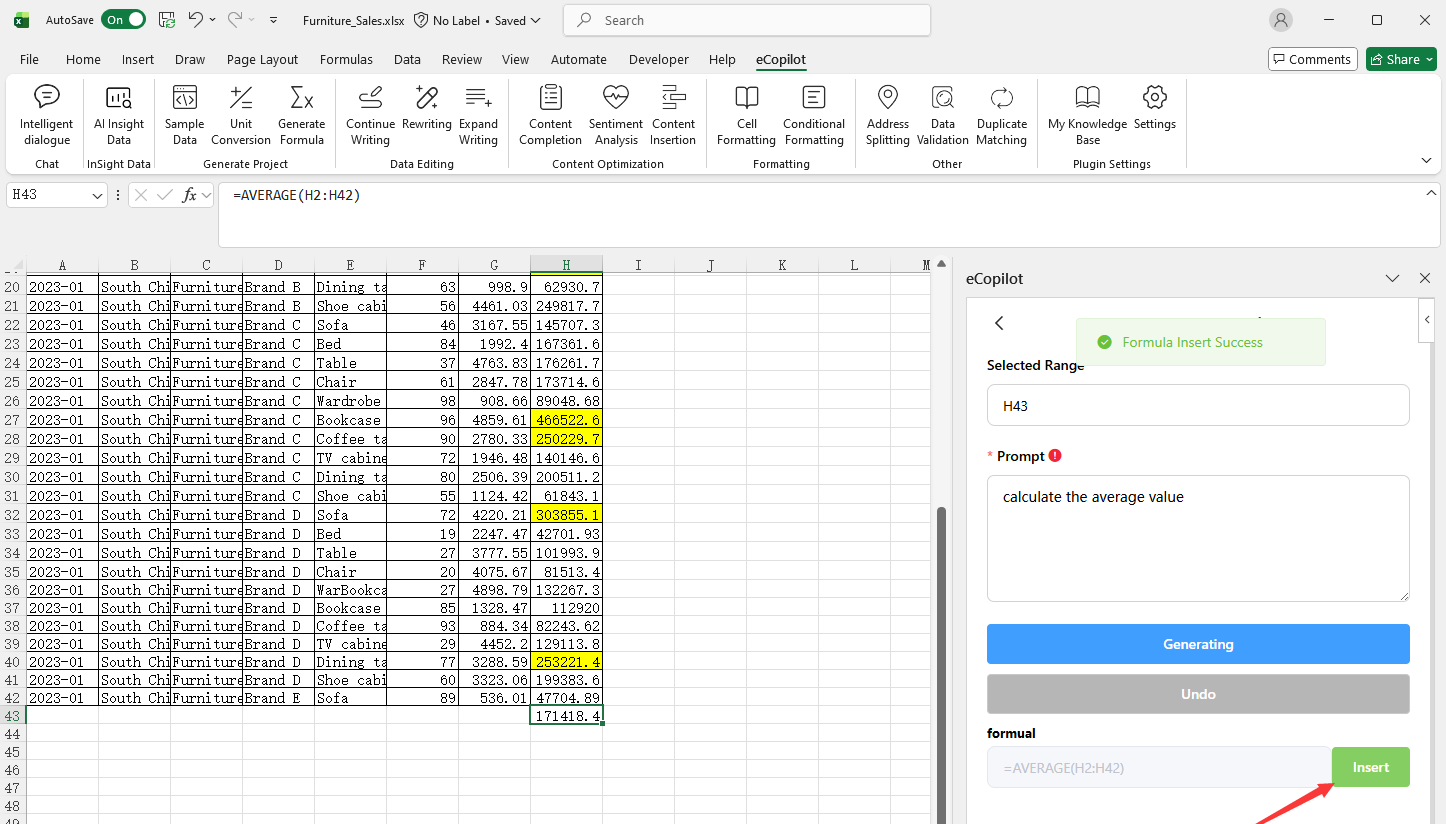
After formulas are generated, select a blank area and click Insert, as shown in Figure 4.8.