Generate Speaking Notes
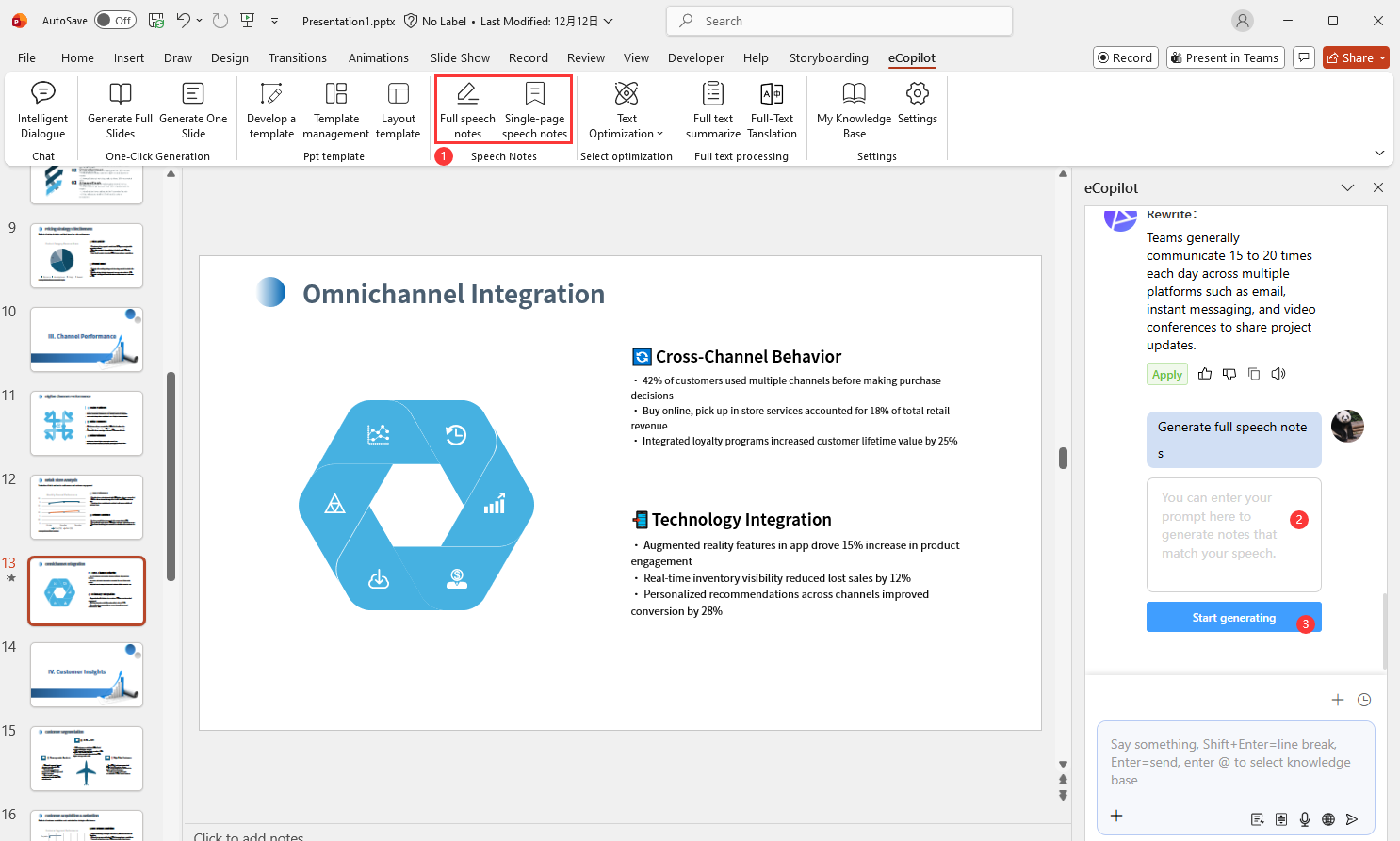
Click Full speech notes or Single page speech note in eCopilot. Enter requirements in the right panel, e.g., "Concise and energetic", then click Start Generating, as shown in Figure 1.21.
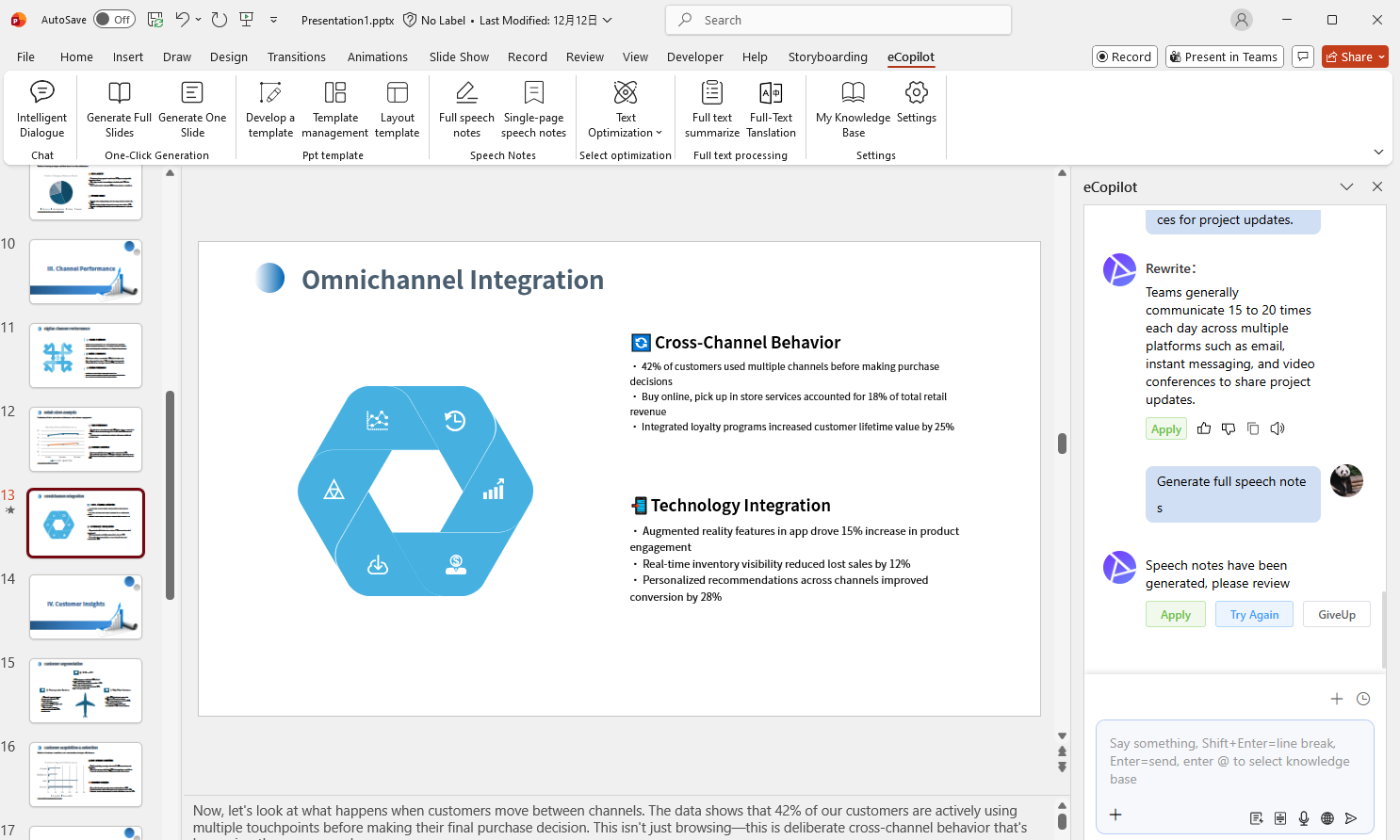
Notes are generated automatically in the slide notes pane. Click GiveUp to remove notes if not needed, as shown in Figure 1.22.