Data Validation
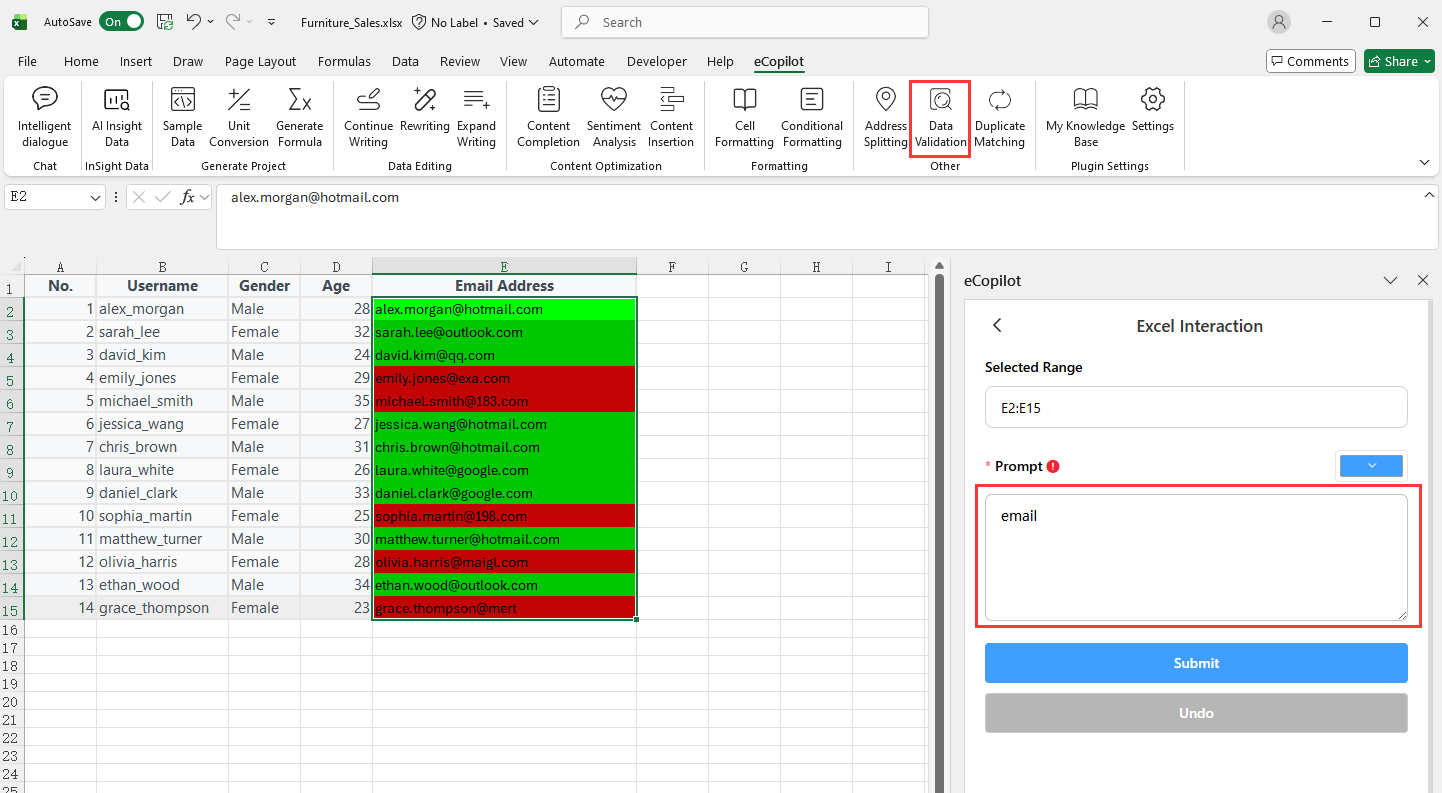
Select the cells to process, click Data Validation under eCopilot on the top ribbon, enter your requirement, then click Submit. The result is shown in Figure 4.16. Note:
- Click
 to view the operation guide.
 - To undo, click the
Undobutton in the right eCopilot panel.