Intelligent Parsing
Operation Guide
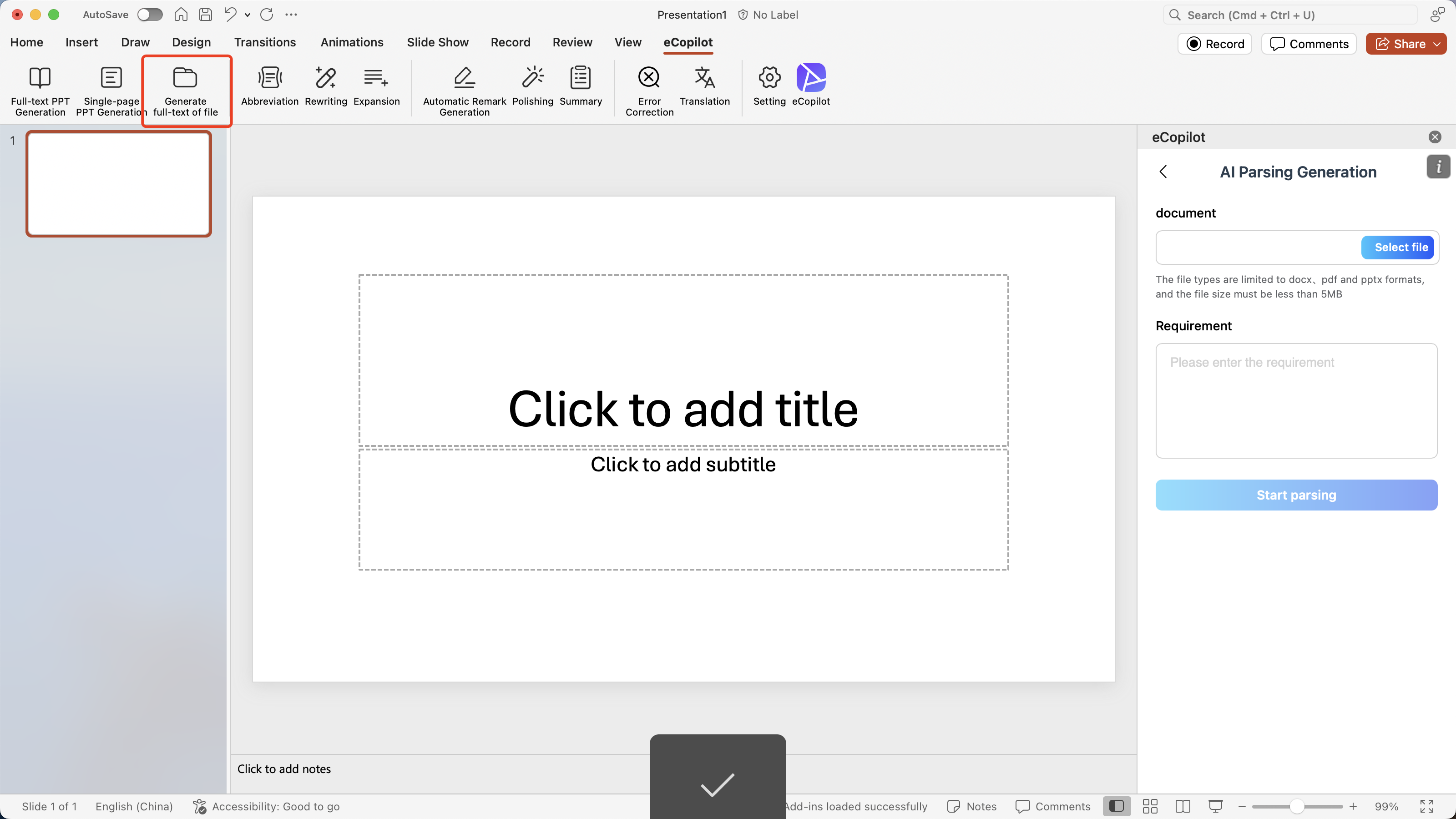
- If you want to generate slides based on file content, click [Intelligent Parsing Generation], as shown in figure.
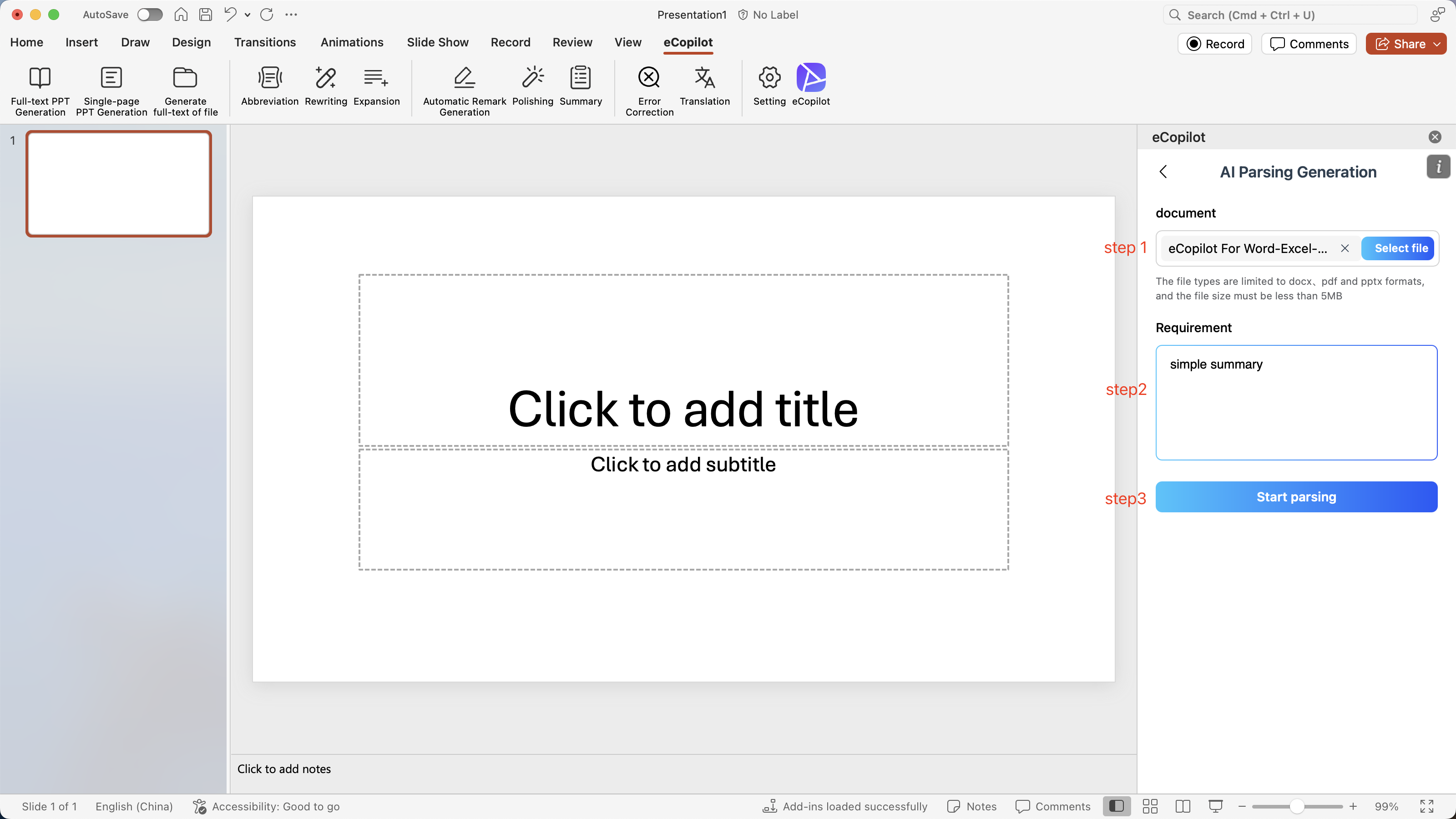
- Jump to the creation interface, upload the file , and input the content requirements for the slides, as shown in figure.
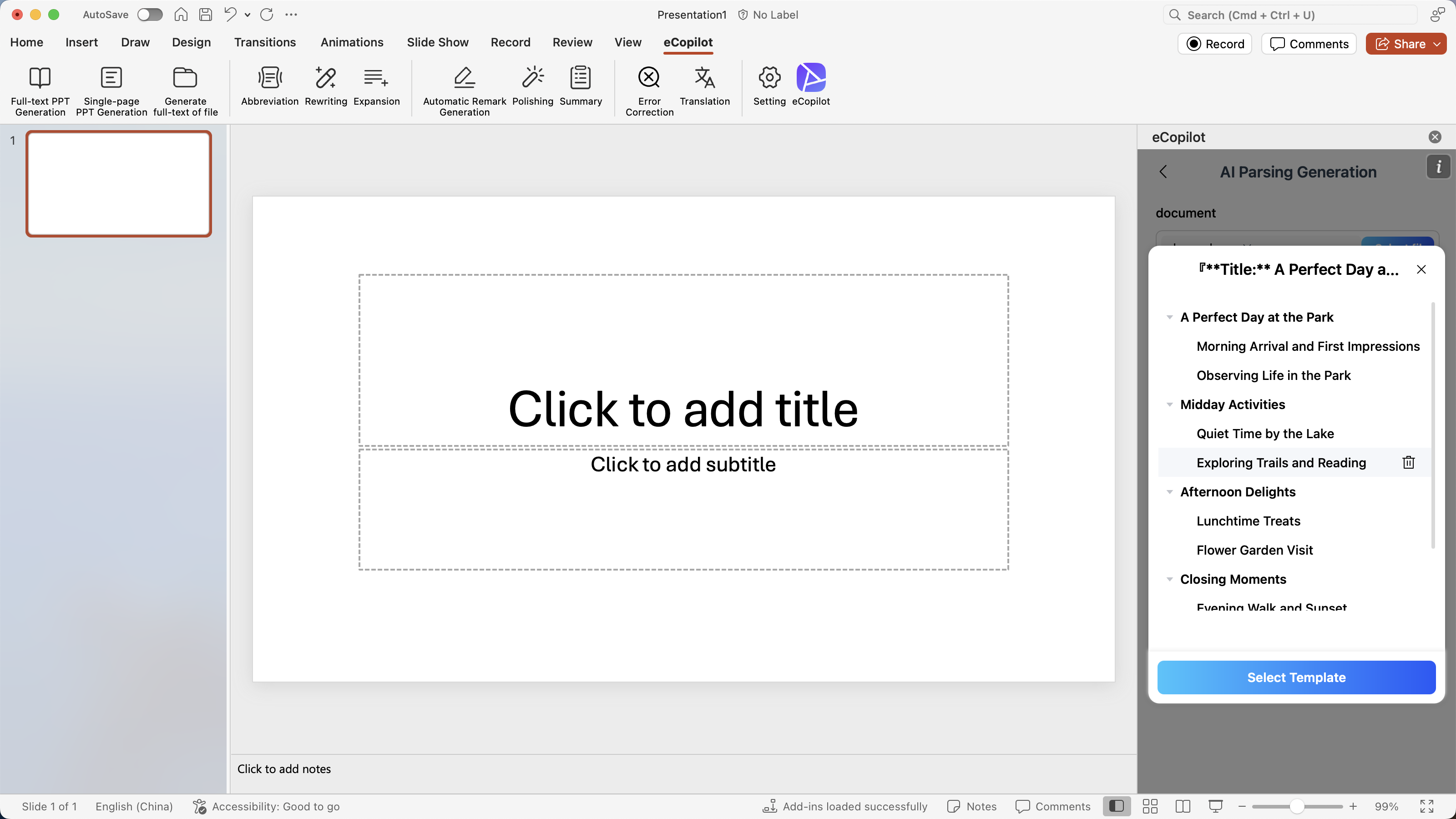
- Click the [Start Parsing] button and wait for the directory outline to be generated. After the generation is complete, you can add, delete, and modify the directory, as shown in figure.
- Click the [Select Template] button, and a random POWERPOINT template will be displayed. Choose one of the templates, as shown in figure.
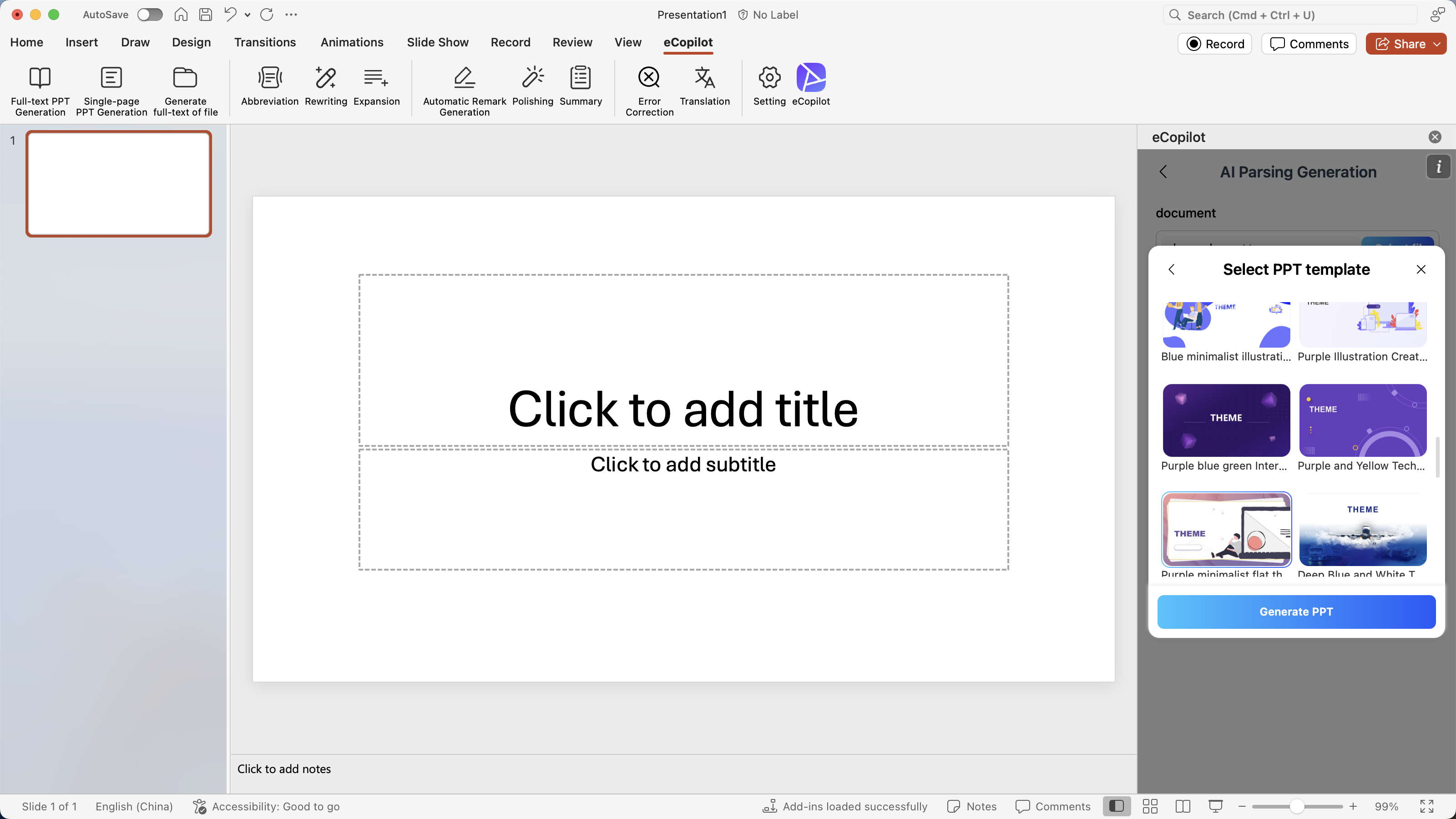
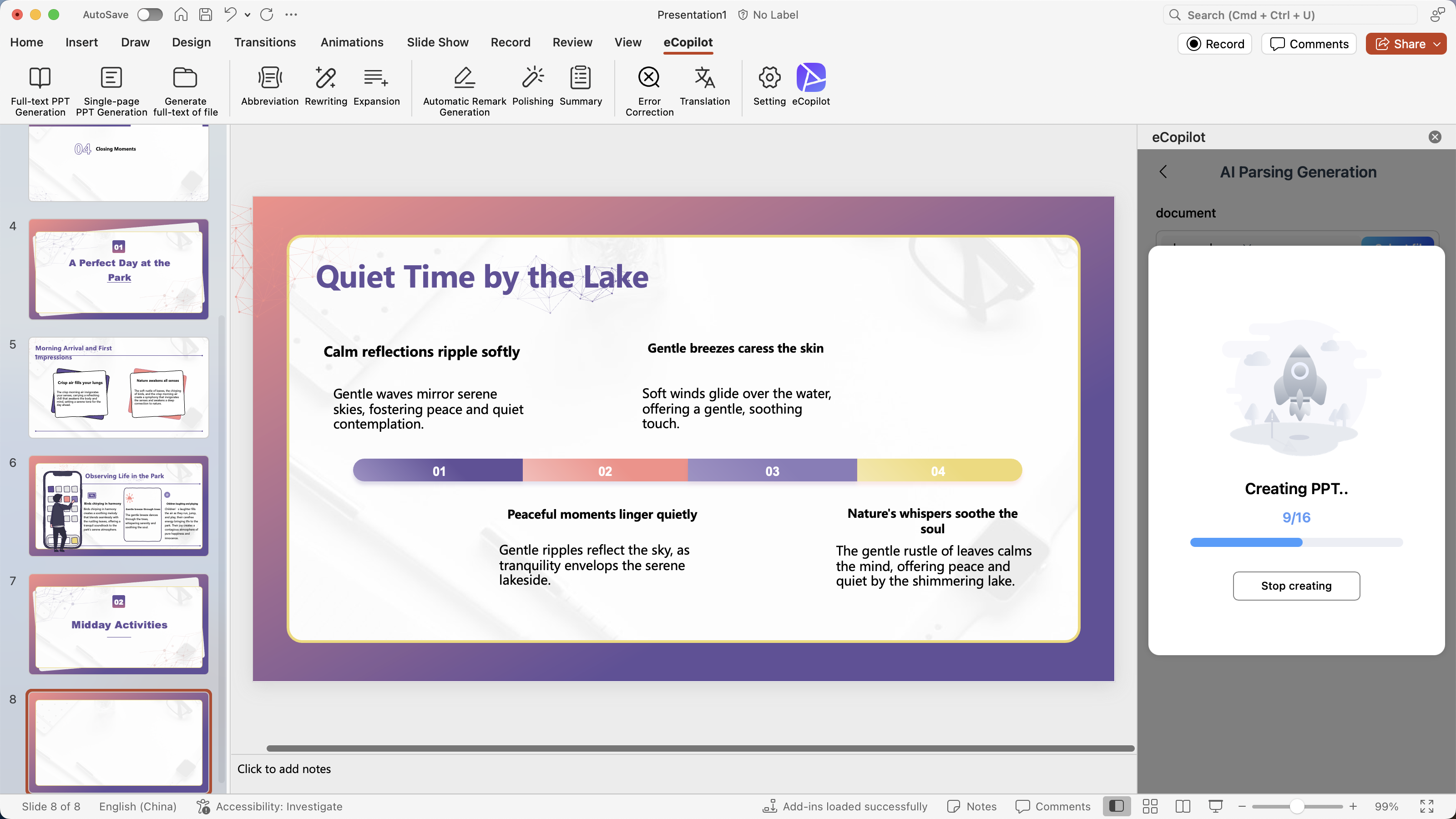
- Click the [Generate Slides] button, and the slides will be automatically generated in POWERPOINT, as shown in figure .