
Generate Formula
Overview
Excel Copilot's formula generation feature helps users create complex formulas by describing their data requirements in natural language, reducing manual formula writing errors.
Operation Steps
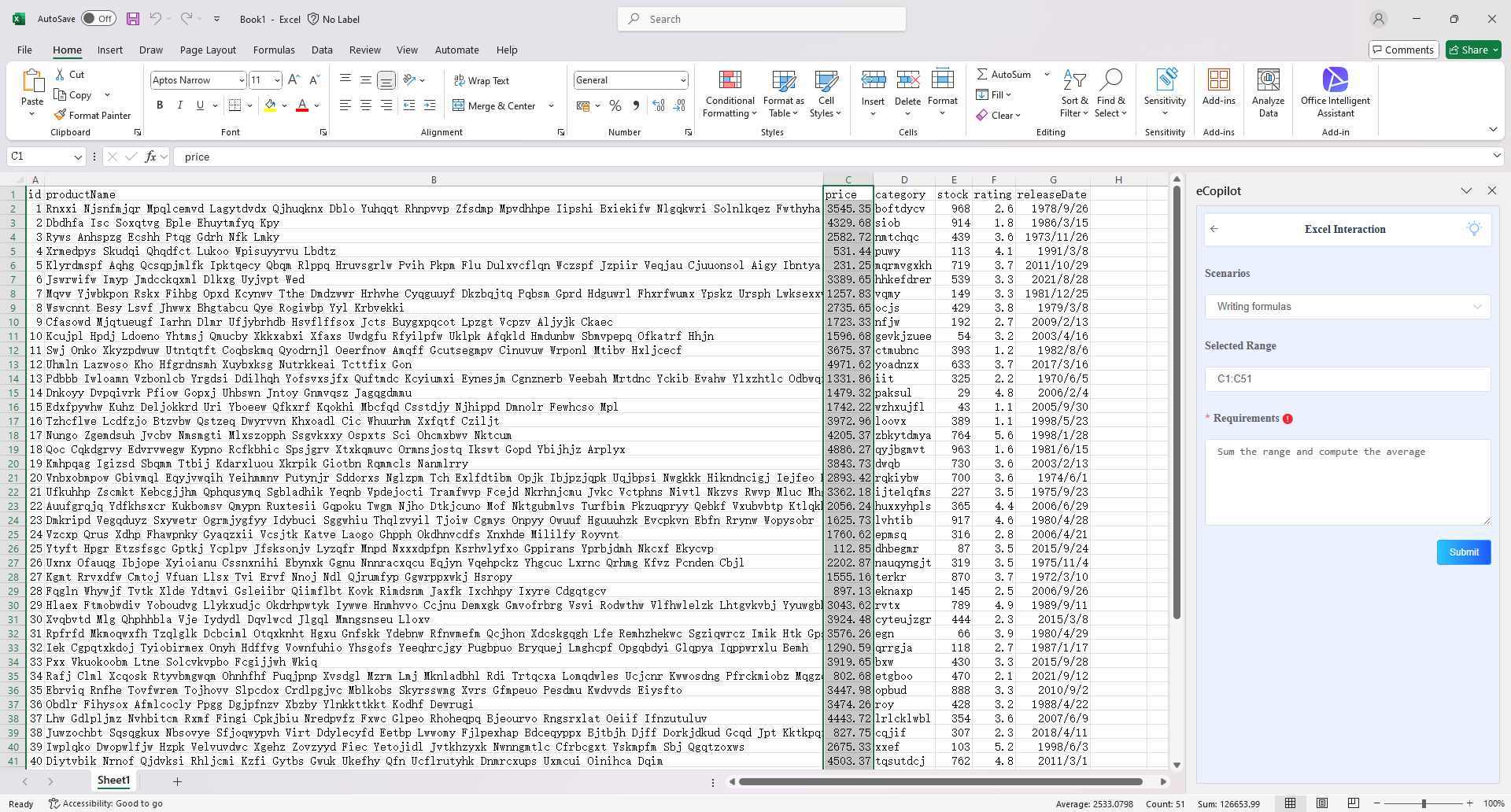
Select the cell to be processed, choose the "Generate Formula" option in the eCopilot interface, enter the information, then click the "Submit" button. The display effect is shown in figure.
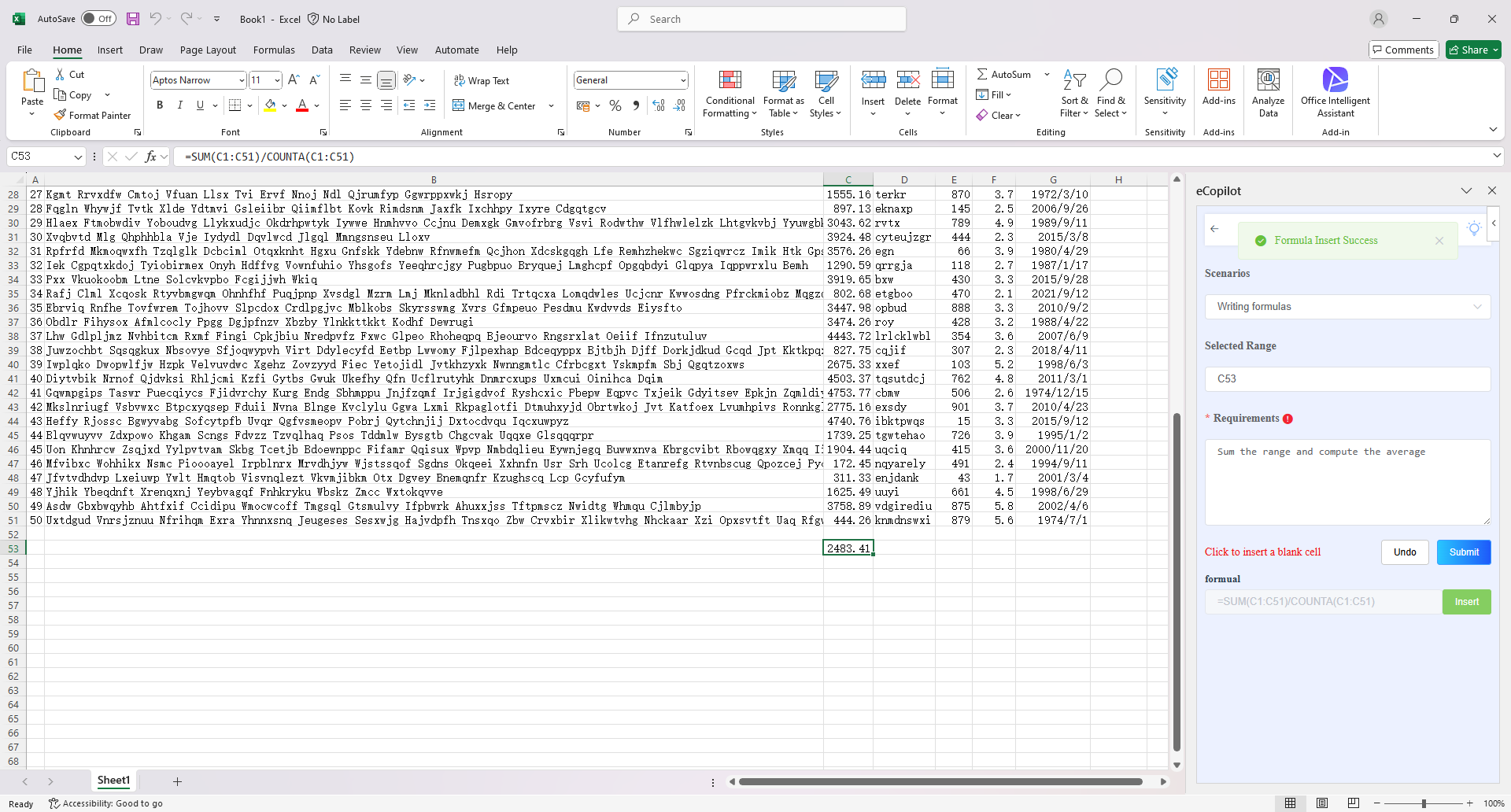
Select the blank area, click the "Insert" button, as shown in figure.
Notes
- Click the light bulb icon to view the operation guide.