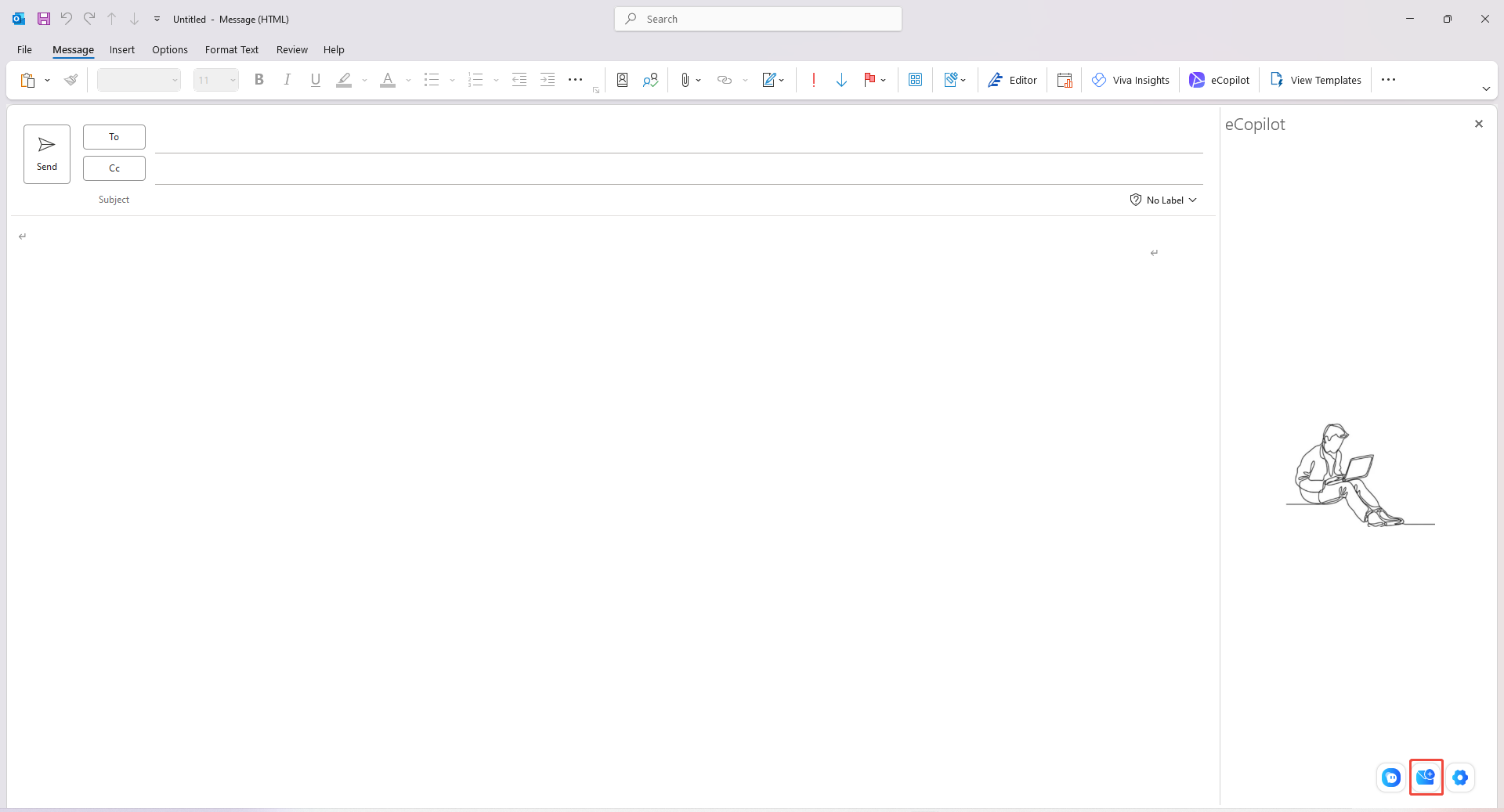
Enable eCopilot in 'New Email', select [New Email Generation], as shown in figure
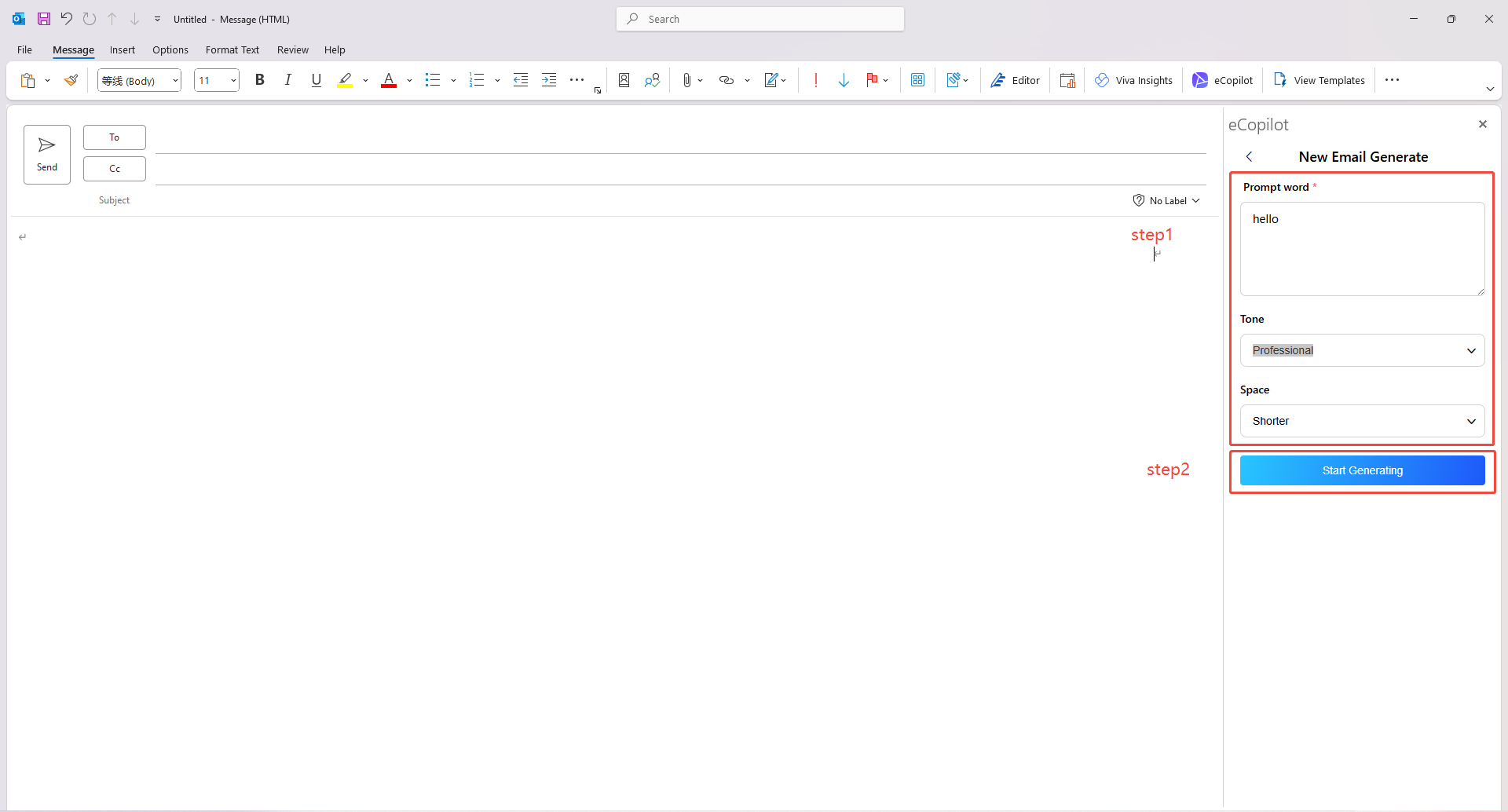
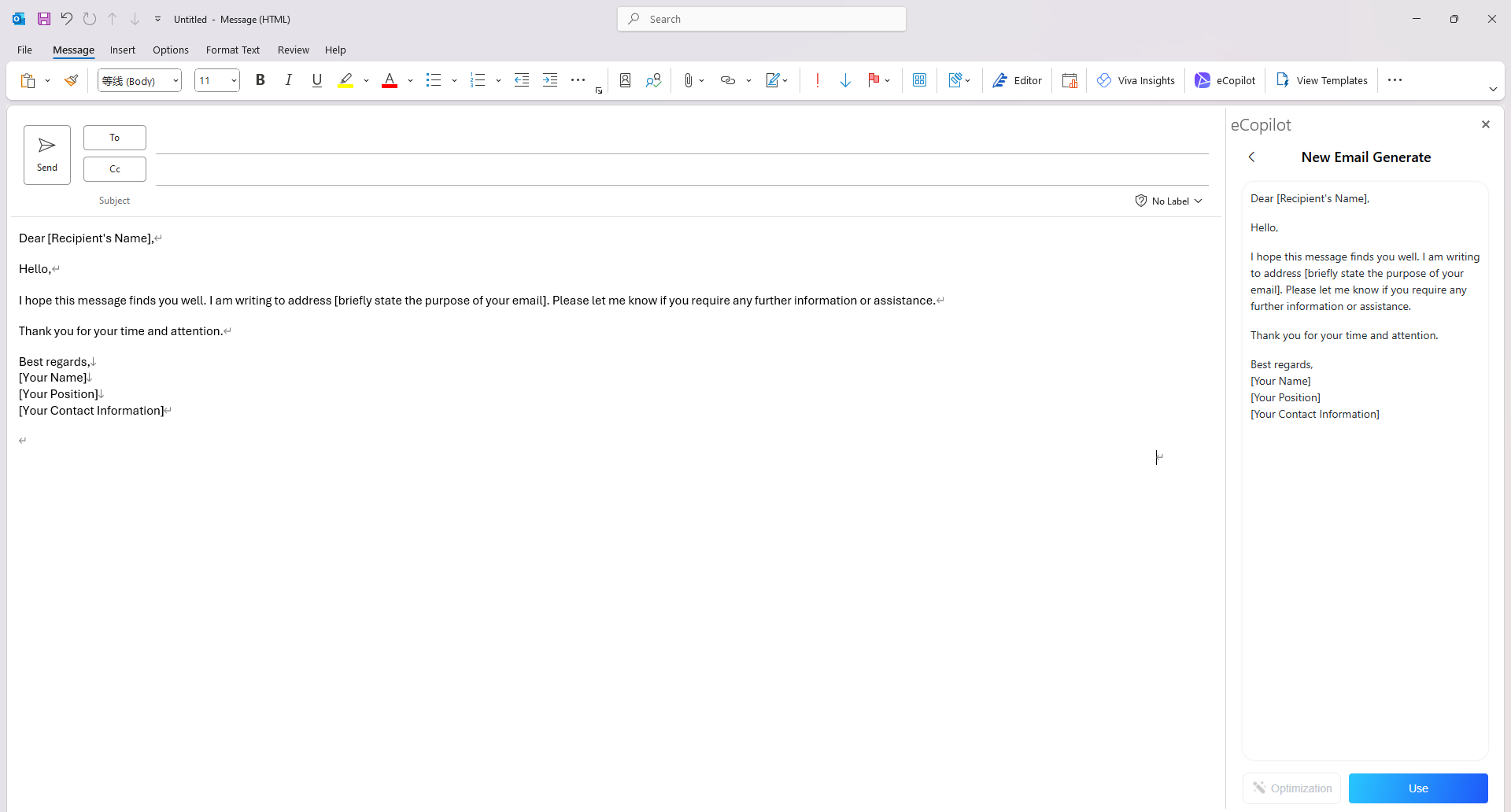
Enter the prompt as required,then click [New Email Generation]. After the text is generated, you can copy or print the content into the Outlook body, as shown in figure.