
Text Polishing
Operation Steps
- First, select the text box in the slides, then select the [Text Polishing] menu. You can see the AI-rewritten content and decide whether to apply or regenerate it, as shown in figure.
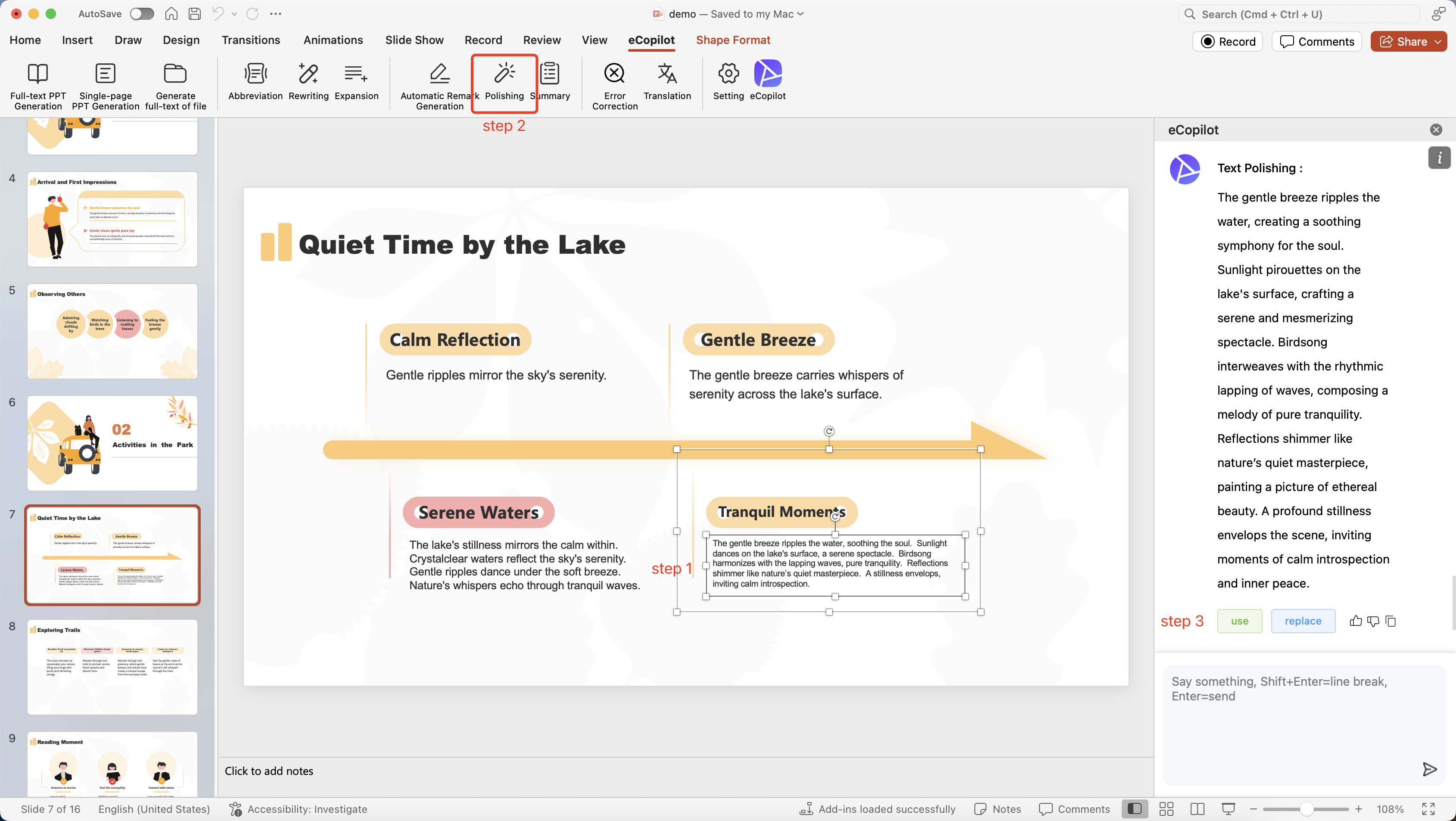
- Click [Apply] to apply the generated content to the slides.
- Click [Change] to regenerate new content.